
Custom Shaders Patch, commonly shortened to CSP, is a community made graphics extension for Assetto Corsa that adds modern lighting, weather, and visual effects the base game never shipped with. It is a mod, not an official update, and it works by extending how the game renders the scene rather than by changing the stock physics. For drivers who want Assetto Corsa to look closer to a current generation title, CSP is the piece that makes it possible, and this guide explains what it adds, how it relates to the tools around it, and the pitfalls to plan for before you install it.
We wrote this to make a much modded corner of the hobby understandable rather than to sell you anything, and we based it on how the extension is documented and how the community describes running it rather than any seat time we claim for ourselves. You can read how we review, and if the game itself is new to you, our Getting Started hub covers the basics first.
What Custom Shaders Patch adds
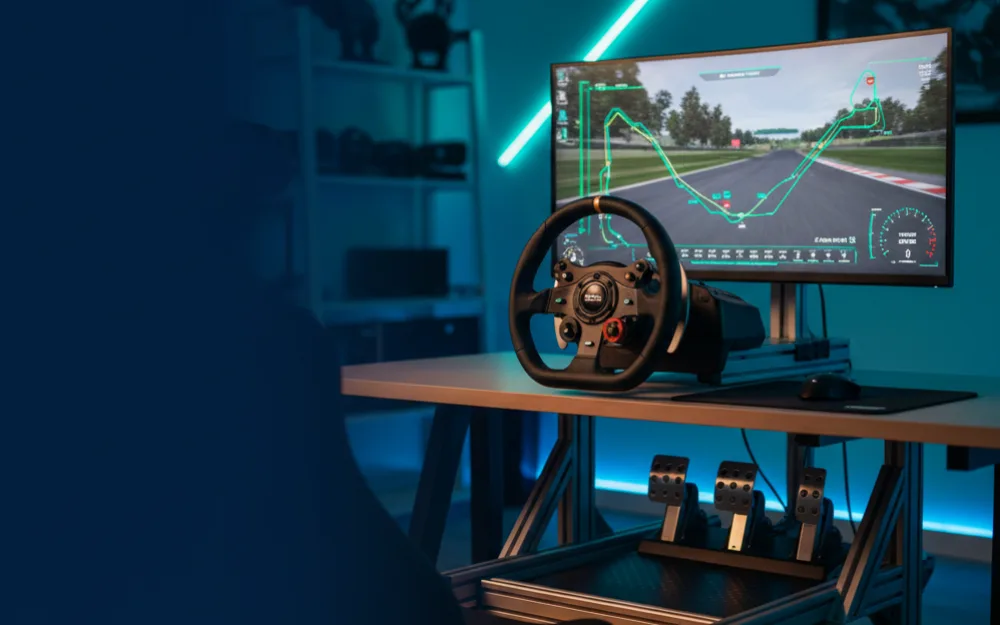
Assetto Corsa is an older game, and while its driving model has aged well, its stock visuals have not kept pace. CSP is the community’s answer. It layers a set of graphical enhancements onto the existing engine, and the community describes the difference as substantial: reworked lighting and shadows, a dynamic time of day and weather system, sharper reflections, rain effects, and a general modernization of how scenes are lit. Many of the striking Assetto Corsa images and videos people share online are running CSP, often alongside a separate post processing filter that grades the final look. It is the single mod most responsible for the game looking current rather than its age.
It is worth being precise about scope. CSP changes how the game looks and unlocks new visual features, and some newer visual mods are built to depend on it. It does not rewrite the core handling by default, though it offers optional extended physics features for cars built to use them. If you install it expecting a different physics feel, that is the wrong expectation, though the added weather and surface conditions can change how a session plays out visually and situationally.
How CSP relates to Content Manager
These two tools are close companions, and newcomers often confuse them. Content Manager is the launcher and management application, while Custom Shaders Patch is the graphics extension. In practice, the community standard is to install and manage CSP through Content Manager, which handles the process far more cleanly than a manual approach. If you have not set up Content Manager yet, that is the logical first step, and our Assetto Corsa Content Manager setup guide walks through it. With CM in place, adding the graphics patch becomes a managed operation rather than a hand assembled one.
Choosing a version wisely
CSP is an evolving project with different release channels, and this is where a little caution pays off. There are more stable public releases and there are newer, more experimental builds that add the latest features but can be less predictable. The community advice for a first time user is to start on a stable release rather than the newest preview, get a working baseline, and only chase the bleeding edge once you understand how the extension behaves on your system. Chasing every new build before you have a stable foundation is a common way to end up with a game that will not launch and no clear idea why.
Installing it safely
Because CSP is third party software that hooks deeply into how the game renders, a careful approach protects your installation. Download it only through the official channels the community points to, not from unofficial mirrors, since popular mods are a frequent target for tampered copies. Back up your Assetto Corsa installation, or verify your game files through your storefront, before you make changes, so you always have a clean recovery point.
| Step | What to do | Why it matters |
|---|---|---|
| Set up CM first | Install Content Manager before adding CSP | CM is the clean, supported path for managing the patch |
| Back up the game | Copy your install folder or verify files beforehand | Gives you a way back if a build misbehaves |
| Start stable | Choose a stable release over an experimental preview | Fewer surprises while you learn how CSP behaves |
| Add gradually | Install CSP, confirm the game launches, then add visual mods | Isolates the cause when something goes wrong |
Watch your performance budget
The biggest practical trade-off with CSP is performance. Modern lighting, dynamic weather, and rain are demanding, and enabling everything at maximum quality can drag frame rates down noticeably, especially on older hardware or when you also load high detail car and track mods. In sim racing, a smooth and steady frame rate matters more than raw visual spectacle, because inconsistent frames hurt your ability to place the car and react. The sensible approach is to enable CSP features gradually, watch how your frame rate holds, and be willing to dial back the heaviest effects to keep the driving responsive. Our explainer on frame rate and input latency covers why that responsiveness is worth protecting, and if you run more than one monitor, triple screen bezel correction is a related setting to get right.
Common pitfalls
Beyond performance, most CSP problems trace back to doing too much at once. Installing an experimental build, a stack of visual mods, and a new post processing filter in a single session makes a crash almost impossible to diagnose. The community advises the same discipline that applies to all Assetto Corsa modding: add one thing, confirm the game still launches and drives cleanly, then move to the next. If the game stops starting after a CSP change, the reliable fix is to step back to the last configuration that worked, which is only easy if you changed one variable at a time. Keeping a note of what you installed and in what order turns troubleshooting from guesswork into a short checklist.
Who should skip it
CSP is not for everyone. If you are happy with how Assetto Corsa looks out of the box and care only about the driving, you can skip it and lose nothing on track. It is also the wrong move if your hardware is already working hard to hold a stable frame rate, since the added visual load can push a borderline system into stutter that hurts your lap more than better lighting helps it. Drivers who prefer a simple, unmodded, predictable installation are better served leaving it out, and console players cannot use it at all, since it is a PC only mod. For the driver who specifically wants a modern looking Assetto Corsa and has the hardware headroom, though, CSP is the mod that delivers it.
Where to go next
With graphics sorted, the next step for most drivers is content, covered in our roundup of the best Assetto Corsa mods for cars and tracks, and the launcher groundwork in our Content Manager setup guide. For the wider view of the game, our Assetto Corsa review weighs where it stands today, and our best sim racing games for PC roundup places it against its rivals.