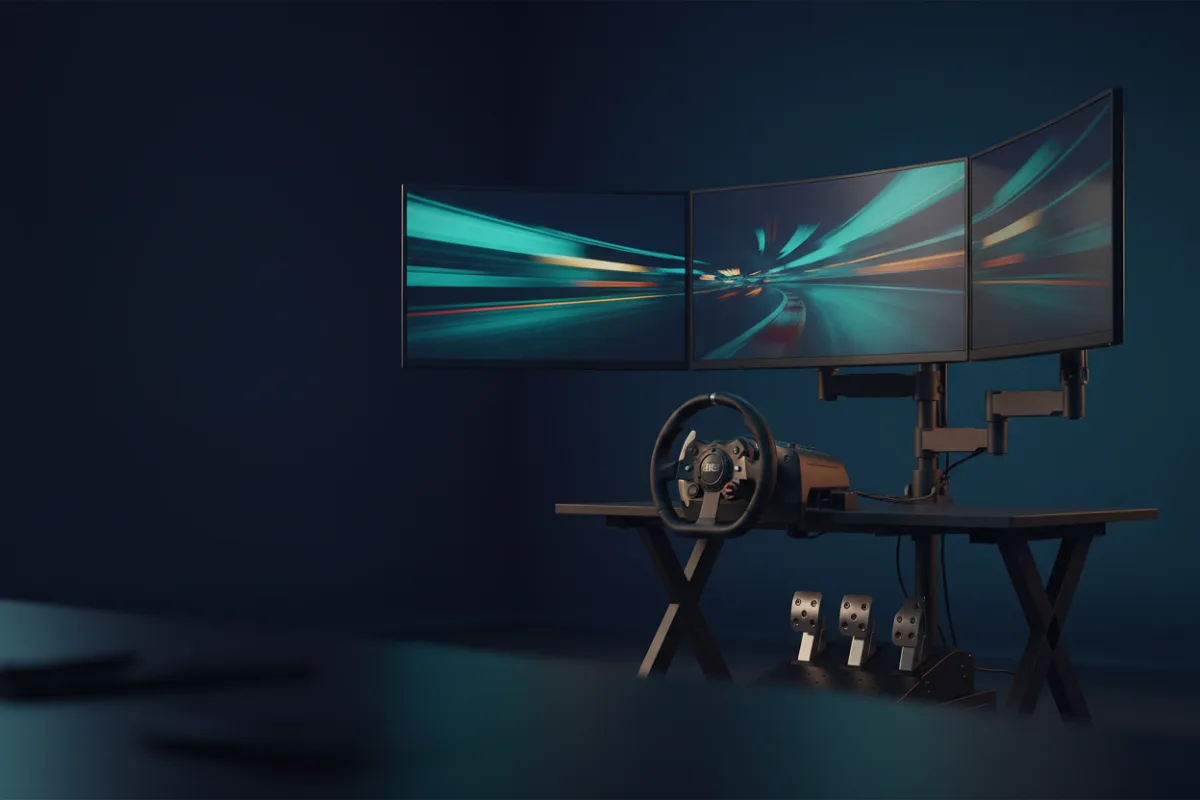

If you want the short answer: the Next Level Racing Round Tube Freestanding Triple Monitor Stand is the one we point most sim racers toward, because it is a floor standing steel frame built to sit around a cockpit, so the screens stay independent of the rig while the wheel base pulls against it. If you race at a fixed desk and want a lower cost freestanding option, the VIVO STAND-V003E is the value pick, and the HUANUO Triple Monitor Mount is the desk clamp choice when a freestanding base will not fit your space.
A triple monitor setup transforms peripheral vision in sim racing, but a stand that shakes with every force feedback jolt ruins the effect. What matters is stability under a rig that moves, whether the stand is freestanding or clamps to a desk, and how large a screen each arm supports. We compared five stands on those terms and explain how we review below. If you are still deciding between triples and a single ultrawide or VR, see our best monitors for sim racing and best VR headset for sim racing guides.


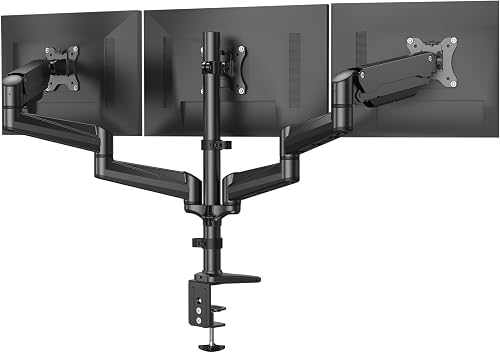
Comparison at a Glance
| Stand | Type | Screen size | Weight support | Mount style | Best for |
|---|---|---|---|---|---|
| Next Level Racing Round Tube | Freestanding, steel | Up to 3x 43 in | Not published | Floor stand around a cockpit | Cockpit owners who want steady screens |
| VIVO STAND-V003E | Freestanding | 13 to 30 in | 17.6 lb each | Own base or desk | Freestanding value at a desk |
| WALI GMF003 | Freestanding | Up to 27 in | 22 lb per arm | Own base | Budget freestanding |
| MOUNTUP Triple Monitor Stand | Desk mount | Up to 27 in | 4.4 to 19.8 lb each | Clamp and grommet | A widely owned desk clamp option |
| HUANUO Triple Monitor Mount | Desk mount | 17 to 32 in | 4.4 to 17.6 lb each | Clamp and grommet | A fixed desk with no room for a base |
Screen size ranges and weight limits come from each manufacturer’s product listing. Where a stand does not publish a per arm weight limit, the table says so rather than repeating a number from a forum. Confirm your monitors use VESA 75 by 75 mm or 100 by 100 mm mounting holes, which every stand here accepts; the Next Level Racing stand also takes larger patterns up to 400 by 800 mm.
How We Picked
For sim racing, the single most important factor is stability. A wheel base pulls and jolts the whole setup, so a stand that mounts to the cockpit itself or stands on a heavy freestanding base holds triples far steadier than a light desk clamp. We weighed that first, then the size and weight each arm supports, the adjustment range for angling the side screens inward, and how much desk or floor space each design needs. We included two desk clamp options for racers whose space rules out a freestanding base.
Each product’s WSR Score comes from verified buyer feedback, normalized to our 10-point scale. Read more about how we review.
Next Level Racing Round Tube Freestanding Triple Monitor Stand
This steel stand is built for sim racing first. It offers extensive VESA support and accommodates monitors up to three 43 inch screens, and its round tube frame stands on the floor on adjustable feet and lockable casters, sized to fit around all Next Level Racing cockpits and most third party cockpits, depending on width. That last point is the reason it tops this list: because the screens sit on their own floor frame rather than on the desk or the rig, force feedback does not shake the picture the way it can with a desk mount. It is the most expensive option here, and it makes the most sense if you already run a cockpit.
- Pro: fits around Next Level Racing and most third party cockpits, so screens stay clear of force feedback movement
- Pro: steel construction with broad VESA support for large screens
- Pro: accommodates monitors up to three 43 inch panels
- Con: the most expensive stand here
- Con: its advantages matter most if you race in a cockpit
Cockpit owners who want triples on a floor stand that stays independent of the rig while the wheel base pulls against it.
You race at a desk with no cockpit; a desk top freestanding base costs far less and does the job.
VIVO STAND-V003E
The VIVO STAND-V003E is a freestanding heavy duty mount that holds three screens from 13 to 30 inches, each up to 17.6 pounds, on VESA 75 or 100 mm patterns. The arms offer plus or minus 15 degrees of tilt, 180 degrees of swivel, 360 degrees of rotation, and height adjustment, so you can angle the two side screens inward for a proper wraparound view. Because it stands on its own base rather than clamping to a desk edge, it is steadier than a clamp under a moving rig, at a price well below the sim specific stand above.
- Pro: freestanding base is steadier under a moving rig than a desk clamp
- Pro: full tilt, swivel, rotation, and height adjustment for angling side screens
- Pro: strong value for a heavy duty freestanding triple stand
- Con: 30 inch screen limit rules out the largest panels
- Con: a freestanding base needs floor or deep desk space behind the setup
Desk racers who want a steady freestanding triple stand at a sensible price.
You run screens larger than 30 inches, or you need the stand to bolt to a cockpit.
WALI GMF003
The WALI GMF003 is a height adjustable freestanding stand for three screens up to 27 inches, each up to 22 pounds, on 75 or 100 mm VESA holes. Its mounting plates slide left and right along each arm so monitors of different widths sit flush next to each other, and the arms swivel forward only, which WALI notes reduces the risk of the screens tipping backward. It is a straightforward, lower cost freestanding option for a standard triple 27 inch layout.
- Pro: freestanding base with height adjustment at a budget price
- Pro: sliding mounting plates align monitors of different sizes side by side
- Pro: forward only swivel reduces the chance of screens tipping back
- Con: 27 inch screen limit is tighter than the VIVO above
- Con: forward only swivel limits how far you can angle each screen
A budget triple 27 inch setup on a freestanding base.
Your screens are larger than 27 inches or you want more swivel range.
MOUNTUP Triple Monitor Stand
The MOUNTUP triple stand holds three computer screens up to 27 inches, each weighing 4.4 to 19.8 pounds, and attaches to the desk by C clamp or grommet rather than standing on its own base. It is one of the more widely owned triple mounts in this size class, with a large base of owner feedback to draw on. It covers the same standard triple 27 inch layout as the WALI, but as a desk clamp it is only as steady as the desk it grips.
- Pro: clamp or grommet mount for a standard triple 27 inch setup
- Pro: one of the more widely owned stands in this size class
- Pro: an alternative to the WALI when price or stock favors it
- Con: 27 inch screen limit
- Con: a desk clamp is less steady than a freestanding base under a moving rig
A triple 27 inch setup clamped to a solid desk when price or availability beats the WALI.
Your desk moves under force feedback, or your screens exceed 27 inches.
HUANUO Triple Monitor Mount
The HUANUO is a desk mounted triple, attaching by either a C clamp or a grommet through the desk, and it fits screens from 17 to 32 inches weighing between 4.4 and 17.6 pounds each on 75 or 100 mm VESA holes. Clamping to the desk frees the surface below and supports larger screens than the freestanding budget stands here. The trade off for sim racing is that a desk clamp is only as steady as the desk it grips, so it suits a fixed, solid desk rather than a rig that moves under force feedback.
- Pro: fits larger screens up to 32 inches
- Pro: clamp or grommet mount frees the desk surface below
- Pro: a large base of owner feedback for this popular mount
- Con: a desk clamp is only as stable as the desk, less ideal under a moving rig
- Con: needs a desk edge or grommet hole that fits the clamp
Racers at a solid fixed desk who want to mount larger screens and free the surface below.
Your setup is a cockpit that moves under force feedback; a rig mounted or freestanding stand is steadier.
Buying Guide
Freestanding, rig mounted, or desk clamp
The mount style matters more for sim racing than for a normal desk. A rig mounted stand bolts to the cockpit so the screens move with the wheel base and never shake independently, which is the steadiest option. A freestanding stand sits on its own weighted base and stays stable as long as it has floor or deep desk space. A desk clamp is the most compact, but it transmits any desk movement to the screens, so it is best on a solid, fixed desk rather than a rig that flexes under load.
Screen size and weight
Match the stand to your monitors before buying. The WALI and MOUNTUP top out at 27 inches, the VIVO at 30 inches, the HUANUO at 32 inches, and the Next Level Racing stand accommodates up to 43 inch panels. Check the per arm weight limit too, since a heavier screen than the listing allows can make the arms sag over time. All of these stands accept VESA 75 or 100 mm mounting holes; only the Next Level Racing stand also takes larger patterns.
Angling the side screens
A triple setup works because the two outer screens angle inward to fill peripheral vision. Look for a stand with enough swivel to bring the side monitors toward you at a consistent angle. Stands with full swivel and rotation, like the VIVO, give the most freedom here, while a forward only design limits how far you can turn each screen. If you are weighing triples against a single large display, our best monitors for sim racing guide covers the trade offs.
Who Should Not Buy
If you run a single ultrawide or a VR headset, a triple stand is not for you; peripheral vision comes from the display instead. If your graphics card cannot drive three screens at a stable frame rate, add the stand only after you have the GPU headroom, since three panels running below a smooth frame rate feel worse than one that runs well. And if your only surface is a light, wobbly desk with no room for a freestanding base, none of these will feel solid under force feedback; address the desk or move to a cockpit first.
Frequently Asked Questions
Do I need a special stand for sim racing triples?
You need one that stays steady under force feedback. A stand that bolts to your cockpit or a heavy freestanding base holds triples far better than a light desk clamp, which can shake as the wheel base pulls on the setup.
Will these stands fit any monitor?
Monitors with VESA 75 by 75 mm or 100 by 100 mm mounting holes, which most gaming monitors have, fit every stand here, and the Next Level Racing stand also takes larger patterns. Check the screen size and per arm weight limits in each listing against your panels, since going over either can overload the arms.
Can I mount three different sized monitors?
You can, but a matched set of three identical monitors gives the cleanest continuous image with even bezels. Stands like the WALI, whose mounting plates slide along the arms, make it easier to align screens of slightly different sizes side by side.
Freestanding or desk clamp for a cockpit?
For a cockpit, a rig mounted stand is best because the screens move with the frame. If you cannot mount to the rig, a freestanding base is the next steadiest choice. A desk clamp is the least ideal for a cockpit that moves, though it works well at a solid fixed desk.
Can these stands hold curved monitors?
Possibly, but this guide does not confirm curved panel support for any of these stands, so check the listing first. Fit comes down to your monitor’s VESA pattern, its weight and its screen size against each stand’s limits. A curved screen also changes how far the side monitors need to angle inward, so leave room for that adjustment.
Sources
- Next Level Racing product listing for the Round Tube Freestanding Triple Monitor Stand
- VIVO, WALI, and MOUNTUP product listings for their freestanding triple monitor stands
- HUANUO product listing for its triple monitor desk mount
- September 2026: first published with five triple monitor stands spanning freestanding and desk clamp designs.